Once you have the app in your smartphone and have logged in, you can download an ATA Carnet to your ATA Carnet app.
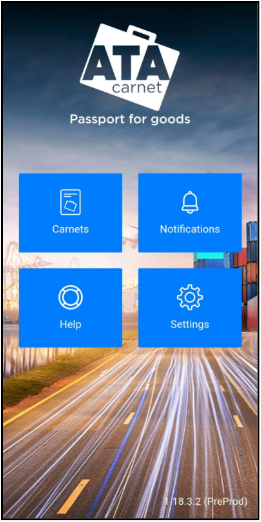
| (a) Tap on Carnets from the main menu…
|
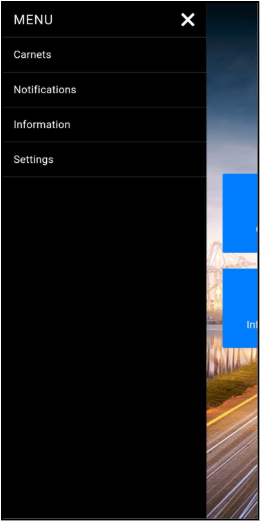
| (b) …or from the sidebar menu. |
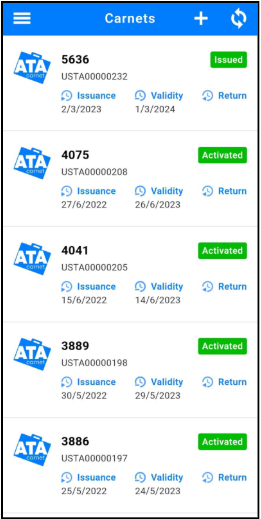
| Tap on the + button on the top right corner. |
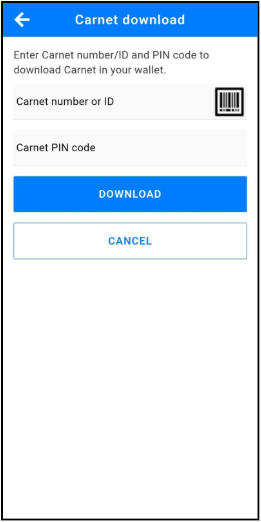
| Insert Carnet number or Carnet ID and Carnet PIN code as received from the issuing association or that has been forwarded to you from the ATA Carnet holder. Tap on Download. Alternatively, you may also scan the QR Code by tapping the barcode icon for a faster importation, if provided to you. |
Before you can prepare a travel and commit transactions, the carnet needs to be activated, just as one would validate a carnet. To do so, simply create a travel by following the steps in the next two chapters and use the Activation QR code first when going through customs check.
Was this article helpful?
That’s Great!
Thank you for your feedback
Sorry! We couldn't be helpful
Thank you for your feedback
Feedback sent
We appreciate your effort and will try to fix the article