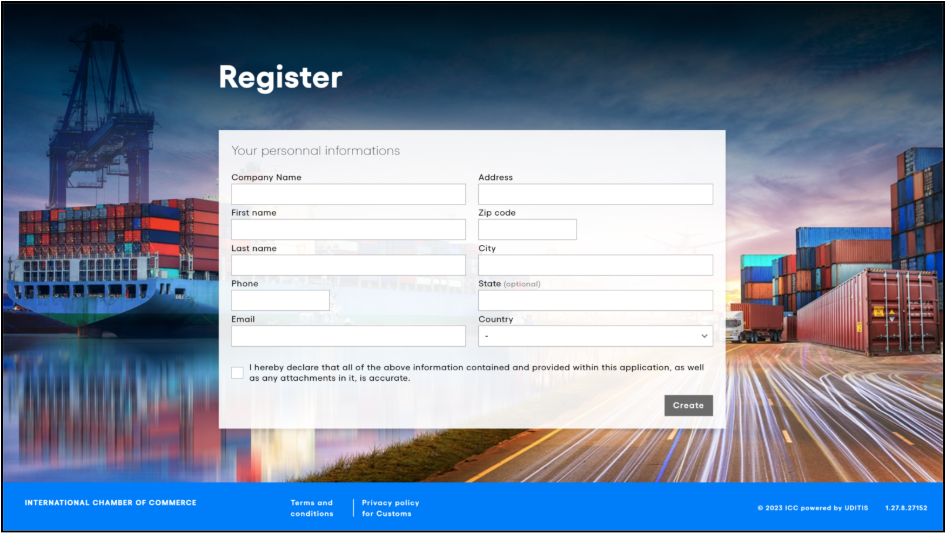
Once you are redirected to the correct URL, you arrive at the login page. Clicking on “Log In” presents options to either register a new account or access an existing one. To register, follow the instructions on screen. If you have previously logged in, selecting “Log In” will return you directly to your ATA Carnet Desktop session, allowing you to pick up right where you left off.

When registering for the first time, you will have to fill in the required fields and click on Create.
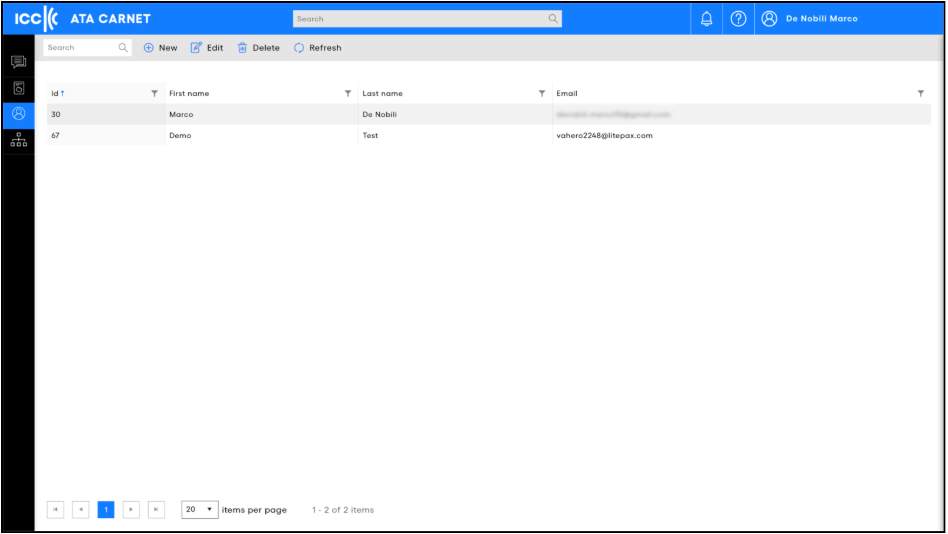
Existing account users can also create additional accounts for colleagues from the Accounts section in ATA Carnet Desktop.
The Accounts section is only available to users with a management role and lists all users connected to your company, so you can manage their roles and permissions.
Was this article helpful?
That’s Great!
Thank you for your feedback
Sorry! We couldn't be helpful
Thank you for your feedback
Feedback sent
We appreciate your effort and will try to fix the article