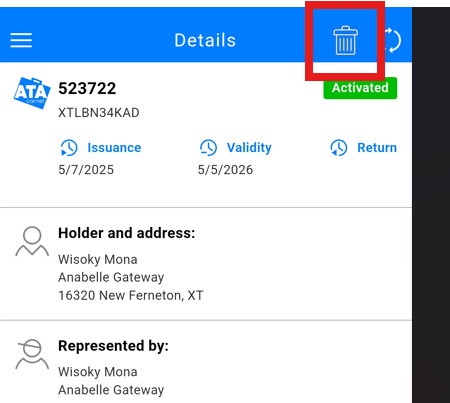
We did an update in the app for this feature. It used to be a long press on the Carnet to be able to remove it. We have now added a button in the topbar of a Carnet details as picture in the following screenshot :
Was this article helpful?
That’s Great!
Thank you for your feedback
Sorry! We couldn't be helpful
Thank you for your feedback
Feedback sent
We appreciate your effort and will try to fix the article